CSS Style Sheet Insertion
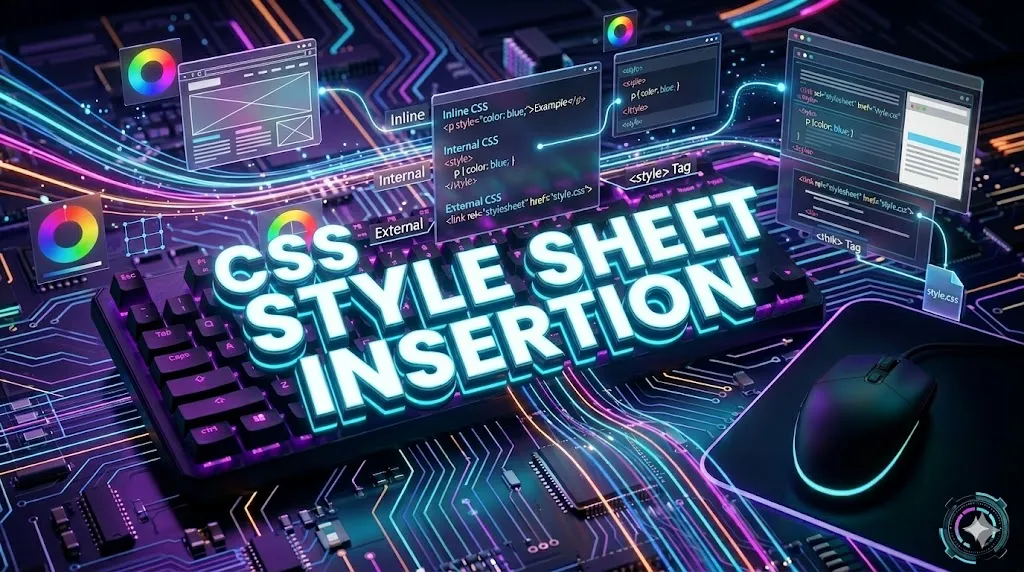
There are three main ways to insert CSS into an HTML document: Inline CSS, Internal CSS, and External CSS. Understanding when and how to use each method is essential for writing maintainable and scalable web projects.
Three Ways to Insert CSS
Inline CSS
Written inside an HTML tag using the style attribute. Best for quick, one-off styling.
Internal CSS
Written inside the <style> tag in the document head. Good for single-page styling.
External CSS
Written in a separate .css file and linked using <link>. Best for large projects.
Style Sheet Insertion
Style sheet insertion in CSS involves integrating styles into HTML documents to control layout and appearance. This is achieved through external style sheets, internal style sheets, and inline CSS methods.
External Style Sheets
External Style Sheets in CSS allow developers to define styles in a separate
.css file and connect it with multiple HTML pages.
This method helps maintain consistency and simplifies website design management.
<!DOCTYPE html>
<html>
<head>
    <link rel="stylesheet" href="styles.css">
    <title>Document Title</title>
</head>

<body>

    <!-- Content of the HTML document -->

</body>
</html>
Internal Style Sheet
Internal Style Sheets are written inside the
<style> tag within the
<head> section of an HTML document.
This method is useful for single-page styling.
<!DOCTYPE html>
<html>
<head>

<style>
body {
    background-color: #f0f8ff;
}

h1 {
    color: #1a73e8;
    text-align: center;
}

p {
    font-size: 18px;
    line-height: 1.6;
}
</style>

</head>

<body>

    <h1>Welcome to PBA Institute</h1>

    <p>
        This page uses internal CSS inside the style tag.
    </p>

</body>
</html>
Inline CSS
Inline CSS applies styles directly inside an HTML element using the
style attribute.
<!DOCTYPE html>
<html>
<body>

<h1 style="color: blue; text-align: center;">
    Hello PBA Institute
</h1>

<p style="font-size: 18px; color: gray;">
    This text is styled inline.
</p>

</body>
</html>
Comparison Table
| Method | Where Written | Best Use Case |
|---|---|---|
| Inline | Inside HTML tag | Quick one-time styling |
| Internal | Inside <style> in head | Single page styling |
| External | Separate .css file | Multi-page large projects |
Priority Order (Cascade)
- Inline CSS: Highest priority and overrides internal and external CSS.
- Internal CSS: Overrides external CSS when placed after it.
- External CSS: Lowest priority but best for reusable website styling.
- !important: Can override all CSS priority rules.
Conclusion
CSS style sheet insertion methods help developers organize and apply styles efficiently. External CSS is best for large websites, internal CSS works well for single pages, and inline CSS is useful for quick styling.
Quick Symbol Reference
Important Notes
- Avoid inline CSS for large sites: Inline styles are harder to maintain and cannot be reused.
- Prefer external CSS for production: It allows one file to style multiple pages.
- Use internal CSS for prototypes: Quick to test styles before moving them to an external file.
- Caching benefit: External CSS files are cached by the browser, speeding up repeat visits.
Real-World Use Cases
Email Templates
Inline CSS is the standard for HTML emails because email clients strip external styles.
Single Page Demo
Internal CSS is perfect for portfolio demos and code samples.
Multi-page Website
External CSS keeps an entire site consistent with one file.
Practice Questions
- Write an inline CSS rule that makes a heading red and bold.
- Create an internal style block to style all paragraphs with a 20px font size.
- Link an external CSS file named
main.cssto an HTML page. - Which CSS method takes the highest priority and why?
- List two advantages of using external CSS over inline CSS.
Frequently Asked Questions
- Which CSS method is best: External CSS is best for large projects because it is reusable and easy to maintain.
- Which CSS has highest priority: Inline CSS has the highest priority, followed by internal then external CSS.
- Can I use all three together: Yes — you can mix all three methods, but the cascade rules decide which one wins.
- How do I link a CSS file: Use the <link rel="stylesheet" href="file.css"> tag inside the <head> section.
Conclusion
Inline, internal, and external CSS each have their place. Inline CSS is quick but hard to maintain; internal CSS works for single pages; and external CSS is the professional standard. Choose the right method based on project size and reusability.
CSS All Topics
Continue Learning
Previous
Go to Selectors Chapter